RobotCode v2.6.2 at a glance
RobotCode v2.6.2 — Robot Framework IDE toolkit
RobotCode v2.6.2 (released June 15, 2026) is the Robot Framework Foundation's recommended IDE plugin for VS Code and JetBrains, built on a dedicated language server that handles keyword completion, go-to-definition, rename refactoring, and real-time diagnostics. The article covers its robot.toml unified config model (editor + CLI + CI from one file), interactive REPL for keyword prototyping, DAP-based CLI debugger, and structured CI output (SARIF/GitHub/GitLab formats) — plus known limitations and install instructions for all three platforms.

Robot Framework has always been awkward to write without IDE help: the keyword-driven syntax isn't standard enough for generic language servers to understand, so completion, go-to-definition, and inline diagnostics have historically been hit-or-miss. RobotCode v2.6.2 — released June 15, 2026 — is the Robot Framework Foundation's own answer to that gap, built around a dedicated language server that drives VS Code, JetBrains IDEs, and any other LSP-compatible editor from the same codebase. 1
Plugin: RobotCode (
d-biehl.robotcode) · Version: v2.6.2 · IDE: VS Code (≥1.108.0), JetBrains IDEs (≥2025.3), any LSP editor · Framework: Robot Framework (≥5.0) · Language: Python (≥3.10) · License: Apache-2.0 · Price: Free · Install from VS Code Marketplace · Install from JetBrains Marketplace 2 3What it is
RobotCode is a full-stack Robot Framework toolkit, not just a syntax highlighter. At its core sits a language server that handles keyword completion, variable resolution, hover documentation, go-to-definition across
.robot/.resource files, signature help for keyword arguments, and real-time diagnostics (with optional Robocop integration). Layered on top are a project-level CLI, an interactive REPL, a DAP (Debug Adapter Protocol) debugger, and structured CI reporting. 4The description from the project README captures the positioning: "RobotCode is a complete Robot Framework toolkit: a language server, IDE extensions for VS Code and the JetBrains platform, a powerful command-line interface, and a unified
robot.toml-based configuration model." 1Three releases shipped in six days — v2.6.0 on June 9, v2.6.1 on June 14, and v2.6.2 on June 15 — with 2,906 total commits and 291 releases across the project's history. 1 5 On JetBrains Marketplace, it has 33,000 downloads and a 4.7/5 rating. 3 The PyPI package pulls around 66,000 downloads per month, covering teams that install the CLI tooling directly without the IDE extension. 6
Editor features: what the language server gives you
The core editor loop covers everything you'd expect from a mature language server for a typed language, applied to Robot Framework's keyword-driven syntax:
- Completion: keywords, variables, library names, resource imports, and argument names all get IntelliSense entries with documentation previews
- Hover docs: mousing over a keyword shows its full docstring and parameter list inline
- Go-to-definition / find references: Cmd/Ctrl+click on a keyword or variable jumps to the definition, even across
.resourcefiles in different directories - Rename refactoring: renaming a keyword or variable propagates across the entire project with a preview diff
- Inline diagnostics: unknown keywords, undefined variables, and import errors appear as red squiggles while you type
The Keyword Browser panel in VS Code's sidebar lists every keyword available from imported libraries, so you can discover what SeleniumLibrary or RequestsLibrary exposes without leaving the editor. 4
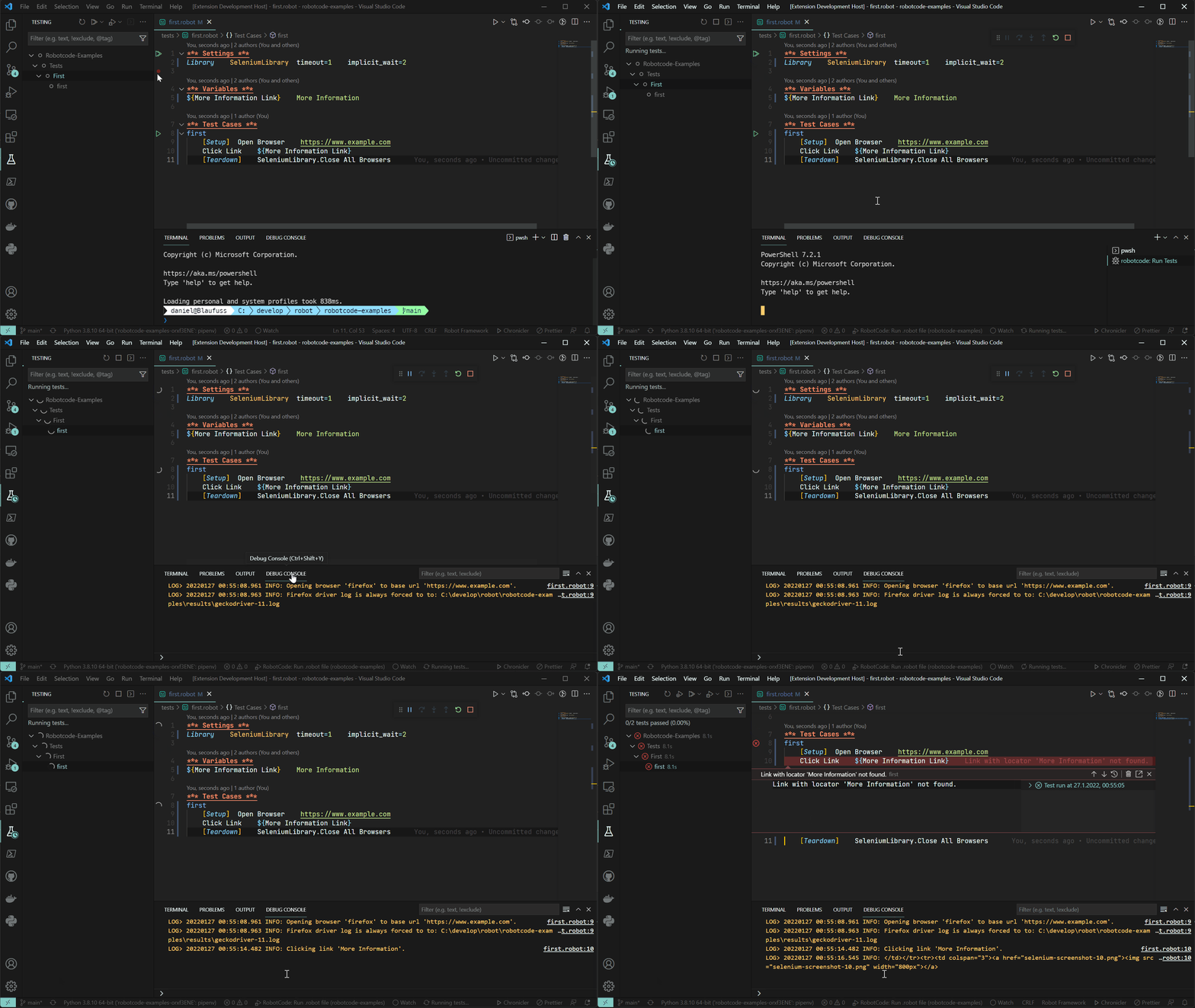
robot.toml: one config for editor, CLI, and CI
The biggest structural difference between RobotCode and older RF extensions is
robot.toml. Rather than scattering settings across VS Code's settings.json, CLI flags, and whatever your CI pipeline constructs at runtime, RobotCode reads a single project-level config file: 1# robot.toml
[tool.robot]
paths = ["tests"]
outputdir = "results"
loglevel = "INFO"
[profile.ci]
variables = ["BROWSER:headlesschrome", "BASE_URL:https://staging.example.com"]
[profile.smoke]
include = ["smoke"]
[tool.robotcode-analyze]
semantic-model = trueNamed profiles let you stack environment-specific overrides:
robotcode robot --profile ci substitutes browser and URL; robotcode robot --profile smoke scopes the run to tagged tests. The project README describes the design intent directly: "One configuration model that follows your project from the editor into CI — no scattered command-line flags, no duplicated setups." 1REPL and CLI debugger
Two features that put RobotCode ahead of earlier Robot Framework extensions are the interactive REPL and the CLI-level debugger.
The REPL (
robotcode repl) gives you a live Robot Framework session with tab completion, syntax highlighting, and inline keyword documentation. You can prototype individual keywords, inspect return values, and save sessions to .robotrepl files for reproducibility:$ robotcode repl
RobotCode 2.6.2 · Robot Framework 7.4 · Python 3.12
Type .help for available commands, .exit to quit
>>> Log Hello from REPL
Hello from REPL
>>> ${result}= Evaluate 2 + 2
>>> Log ${result}
4
>>> .kw Open Browser
# Shows full Open Browser docstring and signatureThe CLI debugger (
robotcode robot-debug) attaches a DAP-compatible debug session from the command line, independent of the IDE. You can set breakpoints by file and line, then single-step and inspect variables: 4robotcode robot-debug tests/login.robot --break "login.robot:15"Both tools run against the same LSP resolution logic as the editor, so keyword lookups and variable scoping behave identically in the REPL as they do inside VS Code.
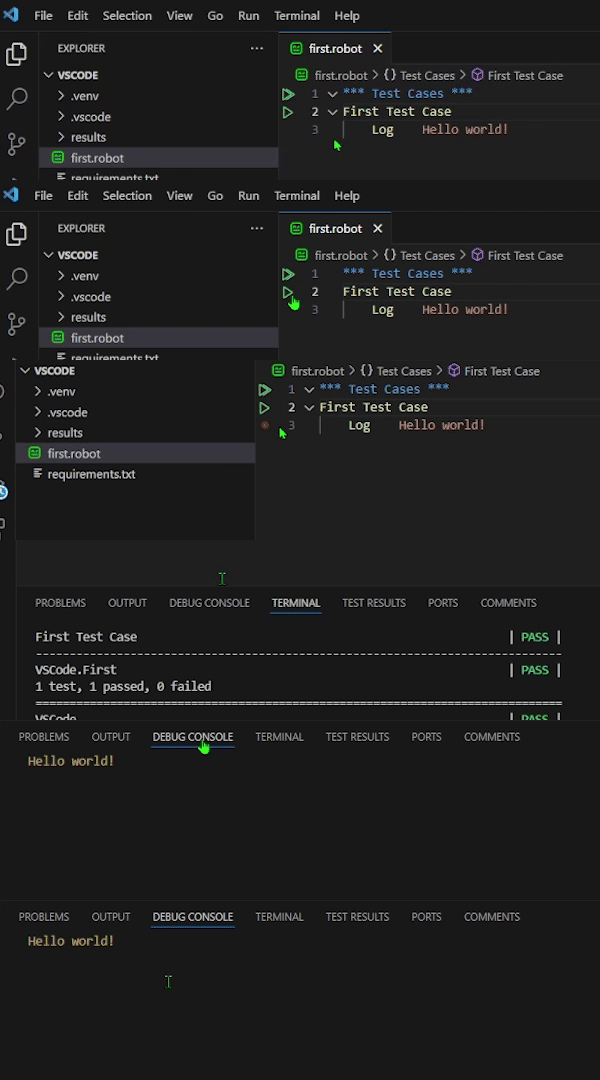
.robot file with per-test run buttons in the editor gutter. 4CI analysis and reporting
robotcode analyze code runs static analysis on your suite without executing tests. Output formats include SARIF (for GitHub Code Scanning), GitHub Actions inline annotations, and GitLab Code Quality JSON — so RF lint failures show up as PR annotations without requiring a full test run: 4# GitHub Actions inline annotations
robotcode analyze code --output-format github
# SARIF for GitHub Code Scanning
robotcode analyze code --output-format sarif --output-file results.sarifThe
results subcommand (robotcode results summary, results diff, results log) processes Robot Framework output XML files — useful for surfacing regressions between runs or displaying summary stats in CI logs.Loading content card…
Known limitations
- Static analysis only:
analyze codedoes not catch runtime-only issues like duplicate test names within a suite — those surface when Robot Framework itself runs - SemanticModel is experimental: the
robotcode.experimental.semanticModelflag is off by default; some advanced analysis features require enabling it manually - ARM / non-x86_64 platforms: the
html-to-markdowndependency includes a Rust-compiled binary with prebuilt wheels for the main platforms; Raspberry Pi OS requires building from source - JetBrains uses LSP4IJ: the JetBrains plugin bridges through the LSP4IJ adapter (auto-installed as a dependency) rather than the native JetBrains plugin API; highly customized JetBrains setups occasionally need manual LSP4IJ configuration
Install and requirements
# VS Code — via Command Palette or terminal
code --install-extension d-biehl.robotcode

# JetBrains — Settings → Plugins → Marketplace → "RobotCode"
# Or: https://plugins.jetbrains.com/plugin/26216

# CLI / Neovim / Helix / Emacs (LSP mode)
pip install robotcode[all]| Requirement | Value |
|---|---|
| VS Code | ≥1.108.0 |
| JetBrains IDE | ≥2025.3 |
| Python | ≥3.10 |
| Robot Framework | ≥5.0 |
| OS | Windows, macOS, Linux |
Loading stats card…
Cover image from robotcode.io, © robotcodedev.
Add more perspectives or context around this Post.